November 21st, 2025

Release roundup - References, comms templates & pinned notes
Staff references
You can now manage reference requests for staff members, whether or not they’ve been invited to have an account on the system. Staff can provide their referee details by logging into their account, using a secure single-use link sent via email, or camp admins can enter the referee details directly within the admin area.
Referees don’t need an account as they’ll receive an email with a one-time form link where they can submit or decline the reference request.
Once completed, references flow straight back into Campfront, where you can review, verify, reject, delete, or download them as needed. All reference statuses and actions can be accessed anytime through the dedicated references table or directly within each staff profile.
Pinned notes
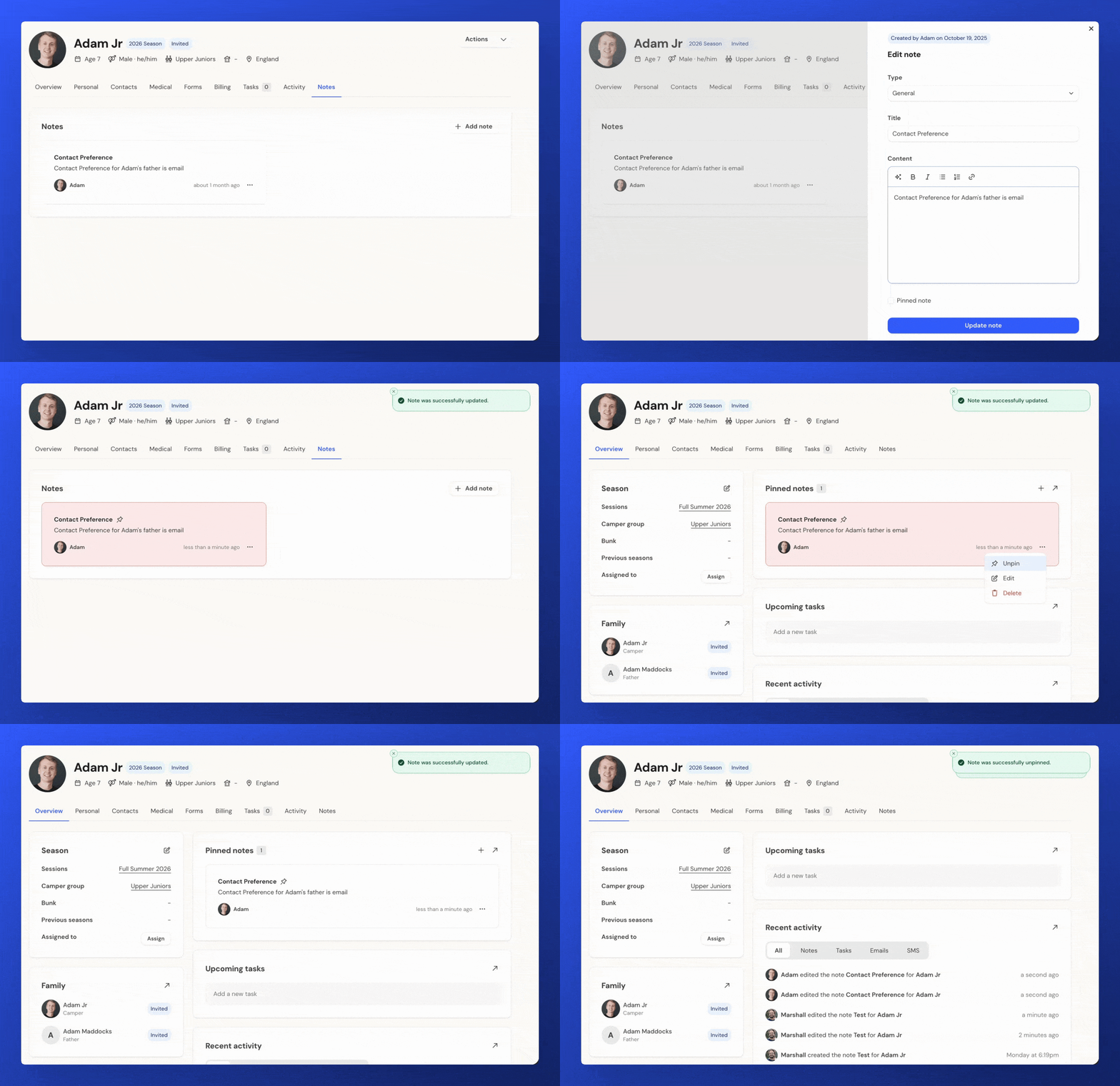
You can now pin important notes on any profile - whether it’s a camper, family, or staff member. Pinning a note keeps it visible at the top of the Notes section and displays it in a new Pinned Notes panel on the profile’s Overview page. You can pin or unpin notes from either area for quick management.
For high-priority items, you can also flag a pinned note for attention. This keeps it pinned while highlighting it in red, making it easy for users to spot urgent or critical information at a glance.
Communication templates
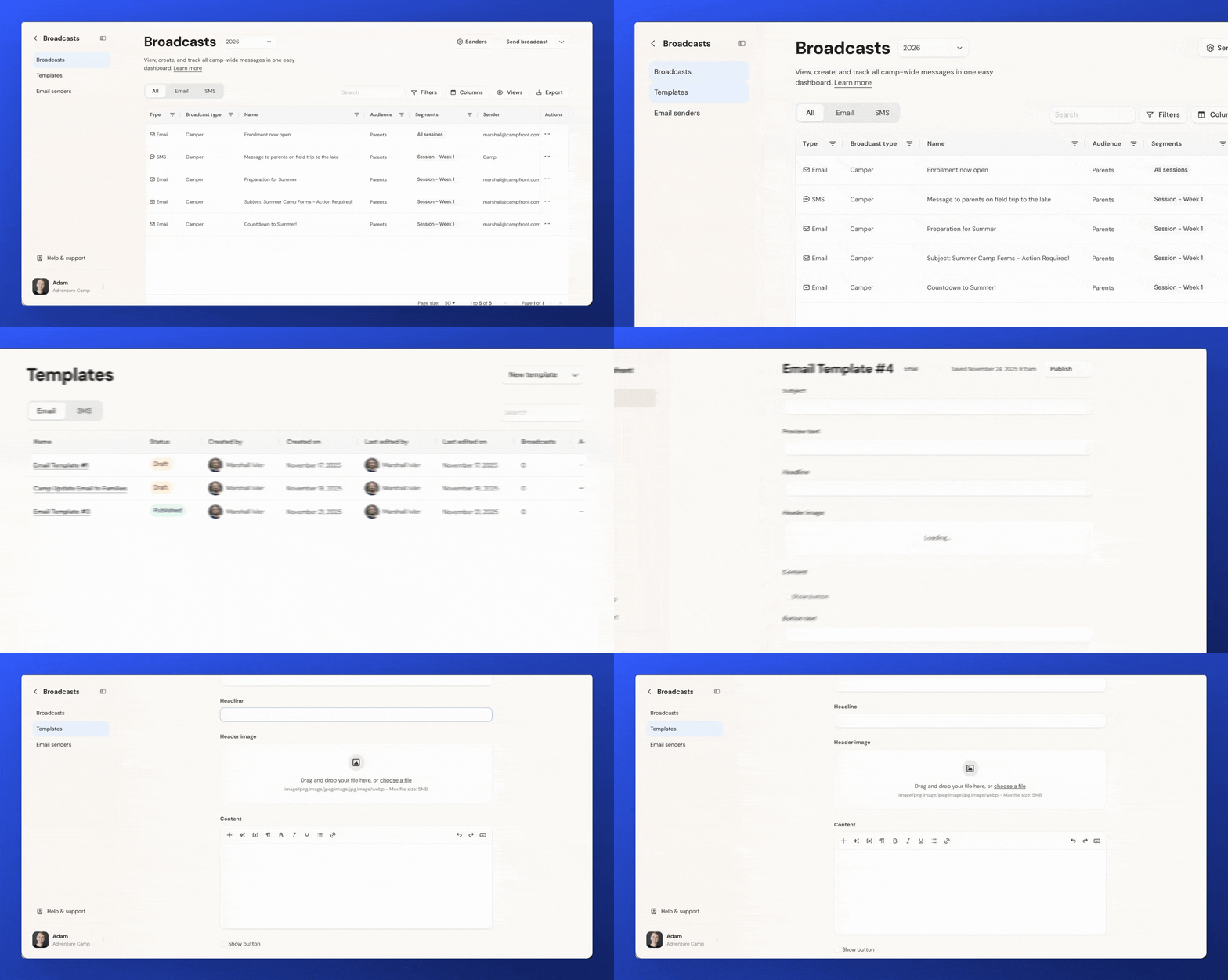
You can now create reusable email and SMS templates to streamline your camp’s messaging. Templates can be saved as Drafts while you work on them, or set to Published when they’re ready to use.
Published templates can be applied to both broadcasts and individual messages, helping you keep communications consistent and quick to produce. All templates are managed in the new Templates area, where you can create, edit, and track updates across your team.