May 26th, 2026

We've shipped a batch of updates that cut manual work and give you more control across your handbook, medical records, family contacts, form assignments, and staff hiring.
Spot the gaps in your handbook
Coverage, a new tab in your handbook, compares what you've published against a topic benchmark built from 147 publicly available handbooks, giving you a clear view of what you've covered and what's still missing.
What you get on the Coverage tab:
Evidence for every verdict: Click on any covered topic to see the exact article passage that earned the checkmark, letting you verify the audit instantly.
One-click drafts for gaps. Hit Add article on an uncovered topic to spin up a draft pre-filled with the title and the example questions parents or staff typically ask. Topics that don't apply to your camp can be dismissed as Not relevant.
Stays in sync as you write. Every article save triggers a targeted re-check, so the gap count is always accurate without you needing to trigger a manual run.
Vaccine records read for you
Whenever a parent, staff member, or admin uploads an immunization record, Campfront does the heavy lifting. The vaccine name, doses, dates, manufacturer, lot number, and provider are pulled straight from the PDF or photo into a table on the profile's medical tab, ready for review.
To ensure complete accuracy, every extracted result includes a reminder to quickly verify it against the original document.
Add additional parents without an account
Email and phone are now optional when adding additional parents to a family, so you can store non-custodial parents, second guardians, or other contacts who don’t need to have a login. Whilst the family owner needs access to manage the account, other parents added can sit on the family profile as name-only, with a "No account" badge to keep them distinct from invited or active account parents.
A new invitation to create account checkbox lets you and your family owners invite an additional parent later if they decide they do want a login.
Other updates
First-time vs. returning form segments. Form assignments now include enrollment and employment history segments, so you can target a form at first-timers, returners from last season, or from any previous season.
Driving license capture on staff applications. The staff application now asks whether the applicant has a driving license, and captures the license number when they do. The answer carries through to their staff record, so it's there for transport and role decisions.
May 11th, 2026

We've launched Handbooks, a new way to run your camper and staff handbooks directly inside Campfront.
You can bring over your existing handbooks or write fresh articles in our editor. Once published, your new AI chat assistant can instantly answer questions based exactly on what you’ve written.
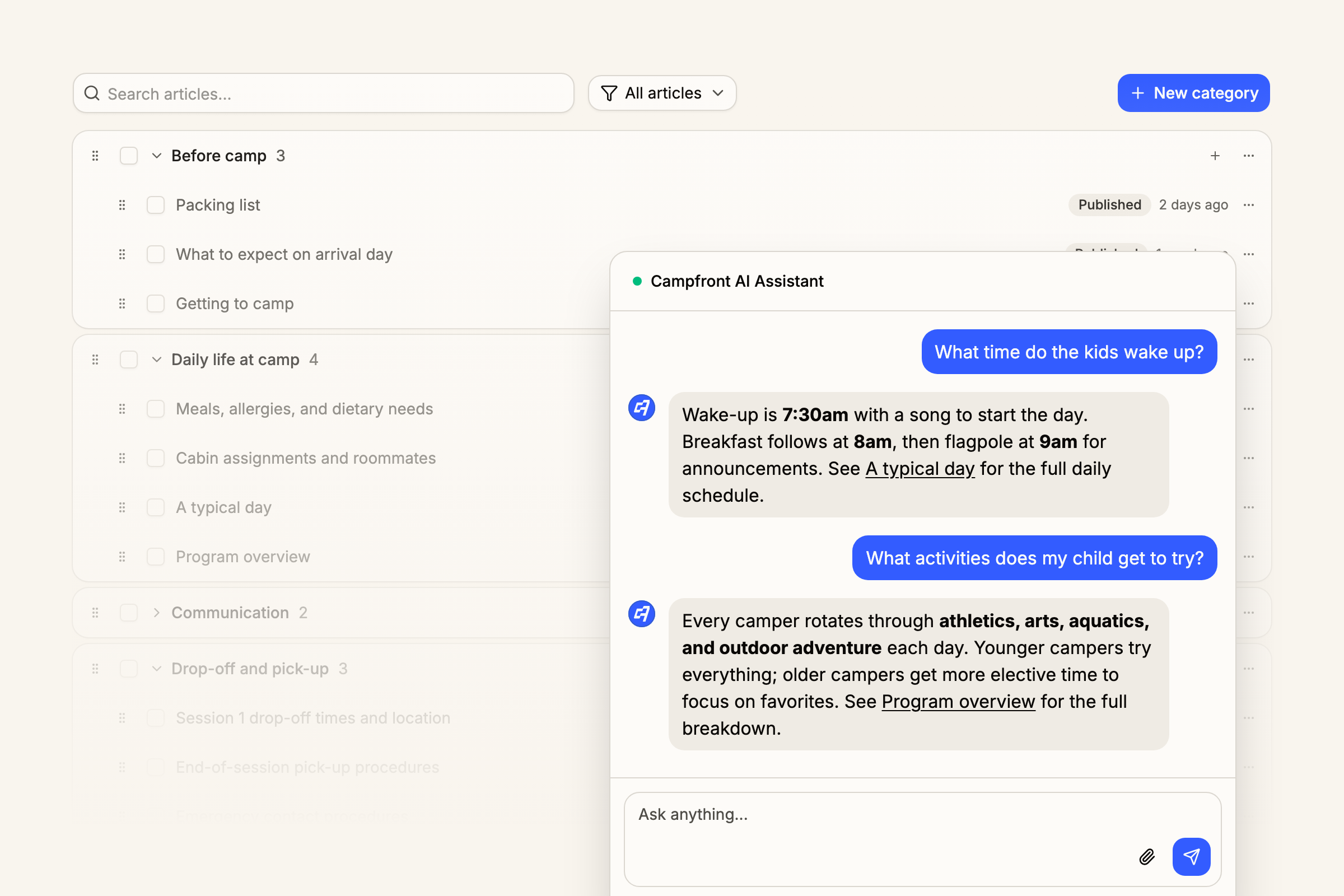
Here is what you can do with Handbooks starting today:
Keep parents and staff separate: You get two distinct handbooks: one for each audience. Each has its own articles, categories, and optional AI chat assistant.
Write or import in minutes: The text editor handles articles directly with autosave, version history, drag-and-drop reordering, and one-click publish. Already have a handbook in Word or PDF? Use bulk import to bring them in as drafts to review and tweak.
Deploy a strictly grounded AI assistant: The assistant only answers using the information from your published articles and your camp's contact details. Every answer cites its sources. If something isn't in the handbook, the assistant points users back to your team instead of guessing.
Track your analytics: See exactly what's going on. Article analytics show you which articles are getting read, where views come from, and how users rated them. Chat logs capture every conversation, filterable by date, feedback, and citations.
Control settings and permissions: A single settings page controls both handbooks, each with its own toggles. A new Handbooks permission setting gives you view or edit control per camp admin role.
Dive in whenever you're ready, or get in touch with us to schedule a demo.
April 28th, 2026

We've shipped a batch of new updates focused on giving you more control across enrollment, family management, and staff hiring, plus a handful of supporting improvements that round things out.
Separate household support
When admins or family owners add additional parents to a family account, you can now specify whether each parent belongs to the same household or a separate one. You can also flag whether they have pickup authorization and capture any additional context about the parent or family arrangement, which is saved as a note on the family profile. Families with multiple campers can also set different primary contacts per camper, so each child is linked to the right point of contact.
Priority enrollment windows
You can now set specific open and close times within your priority window dates, so Campfront automatically opens enrollment at exactly the moment you want (such as 6am on the day) without anyone needing to manually flip the switch. We've also introduced priority enrollment links as an alternative to access codes, giving you a simpler way to send returning families straight through to early enrollment.
Delegated signatory support for under-age staff
For any staff member who is under the age of 18 at the time of accepting a contract, Campfront will now flag this and let you add parent or guardian contact details. The contract is then sent to the parent or guardian to sign on the staff member's behalf, keeping you compliant without disrupting your hiring flow.
Other updates
Expanded grade list. The grade list now covers early years such as nursery and kindergarten, so younger campers can be enrolled with the right grade on file from day one.
Automatic grade-based discounts. Configure automatic discounts that apply based on a camper's grade and the session they're enrolling in. This makes it easy to offer grade-specific pricing, such as "$50 off for K to Grade 2 campers in the Junior Session", without relying on manual discount codes.
Bunking board enforcement settings. New settings on the bunking board let you control whether camper group and gender criteria are enforced when placing campers into a cabin or over-allocating.
Clearer waitlist flow. Families who try to enroll in a session at full capacity are now notified during the enrollment application and drop into the waitlisted stage on the admin side, making it easier to manage demand for your most popular sessions.
April 23rd, 2026

Camper mail is now available in Campfront under the Campers area, giving you a dedicated space to manage parent-to-camper letters and camper replies directly within the platform. There are no Campfront fees to camps or parents to use it, and you have full control over usage through frequency limits and visibility restrictions.
Composing and sending letters
Parents can view and compose letters from their account area, select one or more of their campers, and optionally attach a photo. If you've set a frequency limit, parents will see how many letters they have remaining before composing.
Admin printing and delivery workflow
From the inbound tab, you can filter and batch print pending letters as a PDF, as well as optionally mark them as delivered. Status updates are reflected in the parent's view so they can track progress.
Camper replies
When camper replies is enabled, each printed letter includes a reply page campers can write on by hand. Upload scans individually, in bulk, or via a dedicated inbound email address. Campfront automatically matches replies to the original letter, and parents are notified when a reply is ready to view.
Configuration and controls are managed in camper mail settings, giving you flexibility over how camper mail works at your camp:
Enable or disable camper mail at any time. Switched off by default until you choose to enable it.
Camper replies can be turned on or off depending on whether you want to support outbound replies or keep camper mail as inbound only.
Frequency limits to cap letters per camper per day or week, configurable per parent or per family.
Allow Image uploads to be provided by parents in their e-letters.
Cut-off and delivery information for custom parent facing messages such as print schedules.
Visibility restrictions to limit camper mail to specific sessions, session groups, or camper groups.
April 2nd, 2026

Attachments across comms and notes
You can now attach files when sending email comms from the system, with all attachments logged in the activity log for a full audit trail.
File attachments can also be added directly to notes on a profile, with attached files appearing in the files table. Permissions apply here too, so any files attached to a note type such as financial will only be visible to users with the relevant permission, just like the notes themselves.
Dashboard updates
We've also made the metric tiles at the top of the camper and staff dashboards more customizable. Toggle tiles on or off, reorder them however you like, and choose exactly which metrics you want to see at a glance. New tiles have been added to both dashboards, with more to come over the coming months.
The upcoming birthdays panel now lets you send out emails or SMS messages directly, either to individuals or in bulk, without having to leave the dashboard.
Downloadable file form input support
The form builder now includes a file download field, allowing you to add downloadable files to any custom form. Whether you simply want to provide families or staff with a document as part of the form, or need them to download, sign, and re-upload it, you can now do so directly within your custom forms.
Session-specific registration links
Registration links are now available for each individual session. If you want to direct families to sign up for a specific session rather than choosing from their eligible list, you can now grab a direct registration link from the sessions table and share it wherever you need.
March 30th, 2026

Medical configuration and notifications
We've expanded the medical settings to give you more control over how medical information is captured and managed across your camp.
Dietary requirements and over-the-counter medications can now be fully customized. You can edit names, hide items you don't need, and add new entries to either list.
Medication delivery times are now configurable. While default times are still provided out of the box, you can adjust or add additional delivery times to match how your camp administers medication throughout the day.
Prescription and insurance uploads can now be required as part of the medication entry process. You can toggle on requirements for prescription uploads when medications are being added, as well as require health insurance card uploads, giving you full control from both the parent and camp admin side.
Notifications for medical and medication logs. When adding a medication administration log, medical log, or a note, you can now choose to notify any user who holds the relevant permission. This makes it easy to keep the right people informed in real time.
Financial updates
Split scheduled payments are now supported. If a family has more than one parent account associated with it, you can take any upcoming scheduled payment, whether from an installment plan or a manually created debit, and split it across parents by any percentage. Each parent can pay using their own payment method, giving you more flexibility for families where costs are shared.
Post-enrollment add-ons are now available from the parent side. Families can log into their account, head to the billing section, and add any additional add-on items that they didn't select during the enrollment checkout. This means families no longer need to go through the camp admin team to pick up anything they missed.
Alumni tables
A dedicated alumni table is now available under both the campers and staff sections. While you can still track specific season alumni within the main tables, the new alumni tables consolidate all previous campers and staff into a single view.
Each alumni record includes key historical information at a glance. For campers, this includes total years at camp, enrolled seasons, and family contact information. For staff, you'll find similar fields alongside most recent salary and roles and departments, giving you a clear picture of what each person was doing and when.
The alumni tables also make it easy to contact your alumni from one place, whether you're reaching out for recruitment, re-enrollment, or just staying connected.
March 5th, 2026

We know how important it is to capture and share camp moments with families and staff, and it's one of the features camps ask us about most. On Monday, we're launching the media library, bringing photo storage, sharing, facial recognition, and AI-powered tagging into Campfront.
Facial recognition is built directly into the media library. When enabled, parents and staff can opt into facial recognition from their accounts, and Campfront will automatically tag any campers or staff detected in uploaded photos. Camps can decide whether to charge for facial recognition and set different rates for parents and staff.
AI tagging and search
When photos are uploaded, Campfront automatically generates tags and a summary for each image. These feed into a powerful library-wide search, making it easy to find photos by people, objects, scenes, and more. You can also add manual tags to any photo for further organization.

Sharing and visibility controls give you flexibility over how and when images are distributed:
Season-level controls let you turn sharing on or off for campers and staff at a high level.
Granular sharing lets you configure sharing on individual custom subfolders. Subfolders inherit sharing preferences from their parent folder by default, but you can override this to share with specific seasons or sessions as needed.
Tagged sharing means anyone detected and tagged in a photo can have it shared with them automatically.
Hide folders to keep assets private until you're ready to share, or use the media library as a general storage space for your camp's media.
Email notifications can be enabled so families and staff are notified when new photos are shared with them.
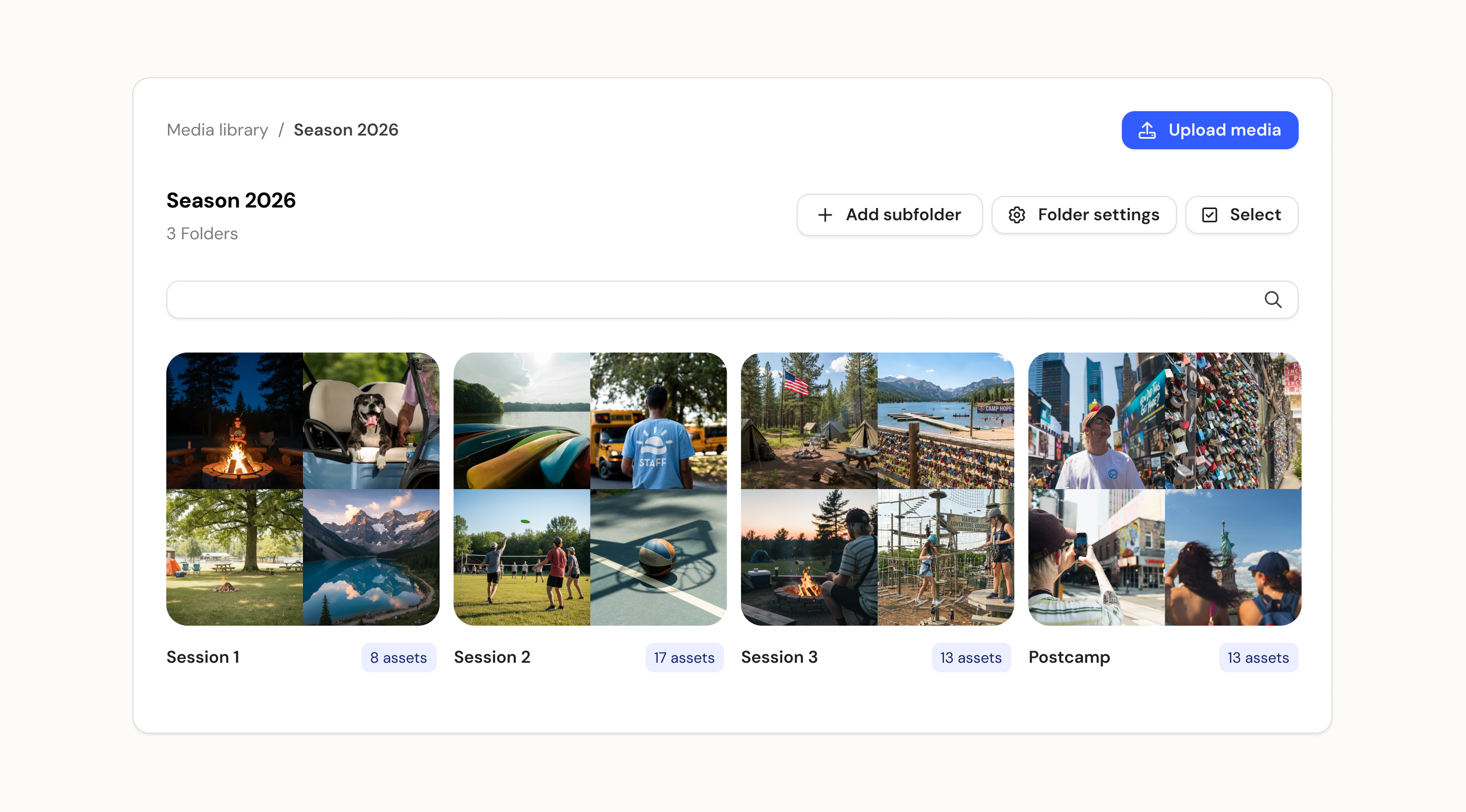
Find photos where they matter
Any images a camper or staff member has been tagged in or had shared with them will appear on their media tab within the admin side. Families and staff who log in will also have their own media area where they can view and download any images shared with them, with families able to see photos across all of their campers in one place.
Full details for the facial recognition and storage costs will be confirmed alongside the release next week.
As a reminder, we'll be at the Tri-State conference next week at booth 716. If you'd like to see the media library and facial recognition in action, we'd love to have a chat - Book a time
March 4th, 2026

Camper lead forms can now be created from the season settings to capture interest from prospective families outside of the enrollment process.
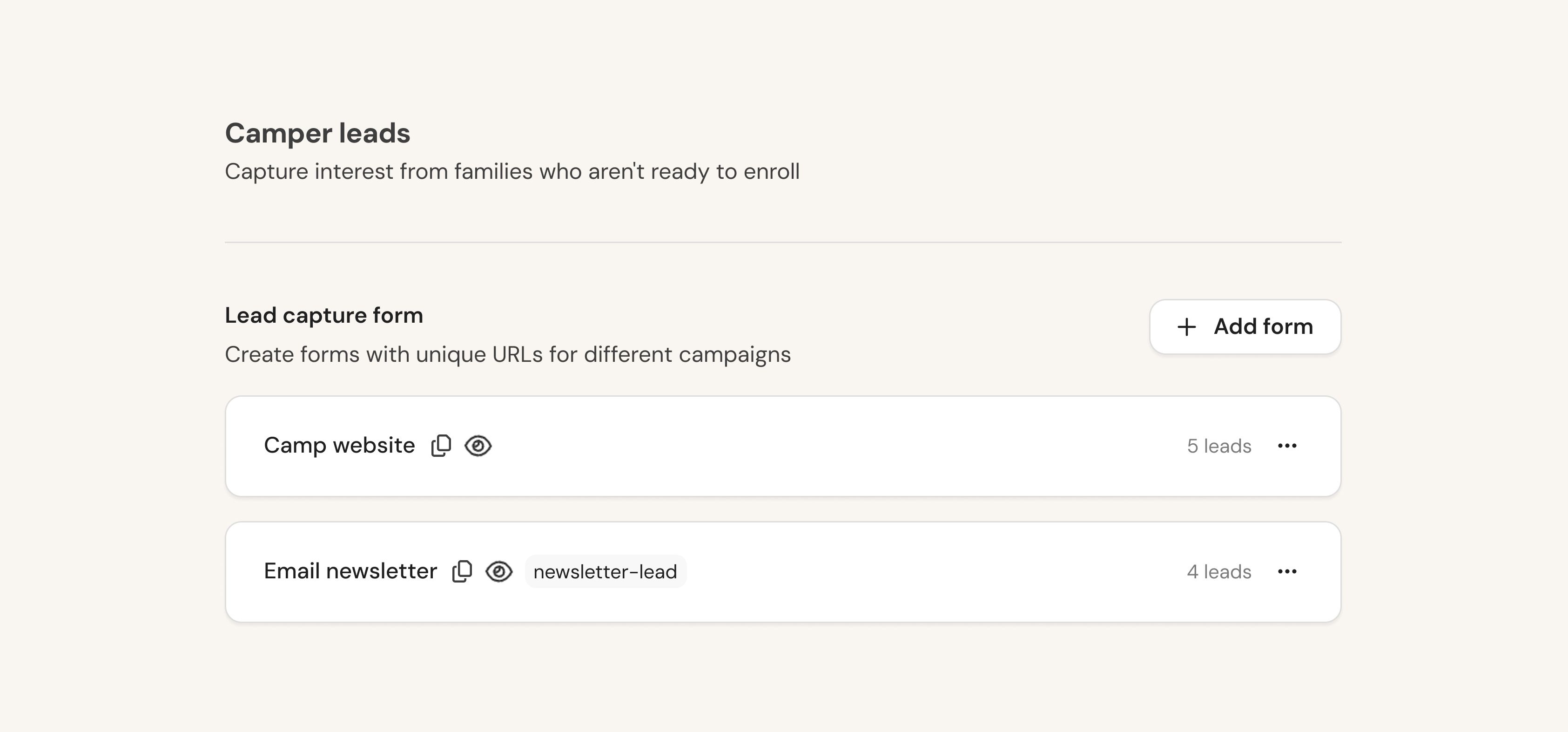
The lead forms capture the following information:
Parent or guardian details – Name and contact information.
Camper details – Name, date of birth, gender, relationship, and grade, with support for multiple campers in a single submission.
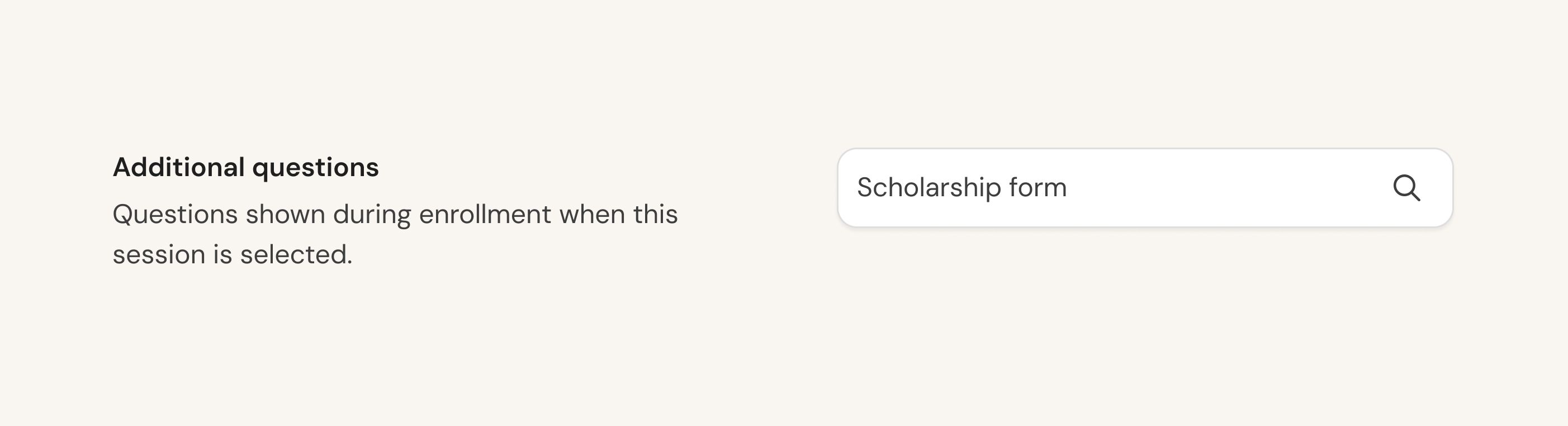
Additional questions (optional) – Attach a custom form as a second step to capture any extra information, just like with enrollment and staff application questions.
Submissions drop into the system under the lead stage. When setting up a lead form, you can configure auto-tagging so that leads are automatically tagged based on their source, making iteasy to track which families came through a specific email campaign or any other channel.
Enrollment applications submitted through approval-required sessions now drop into a new applied stage, rather than the lead stage, giving you a clear distinction between families who have expressed interest through a lead form and those who have actively applied for enrollment.
We're heading to the Tri-State conference next week and would love to see you there. If you'd like to chat, grab a time slot below and come find us at our booth 716 - Book a time
March 3rd, 2026

You can now gather additional information from families and staff applicants by attaching custom forms to your enrollment and staff application flows, configured directly from the season settings.
Additional enrollment questions can now be added on a per-session basis by attaching a custom form to each session. Whether it's an open or approval-required session, you can choose which form families complete as part of the enrollment flow. If a family selects multiple sessions, they'll complete the forms attached to each one. This gives you a flexible way to capture any additional information you need, whether it's specific to a session or relevant to your camp more broadly.
Additional staff application questions can be set up in a similar way by attaching a custom form to the staff application flow. Questions are shown at the end of the application, letting you gather any extra information you need from staff applicants upfront.
As with other form submissions, forms completed during the enrollment or staff application process drop into the relevant camper or staff profile and are fully accessible through the data tables, where you can filter, export, and use the data to help inform decisions as you progress applications.
March 3rd, 2026

We've made major improvements to how enrollment, payments, and pricing work in Campfront. You now have session-level control over how families register, with support for open and approval-required enrollment types, add-ons, automatic discounts, priority access codes, and a much more flexible payment system.
Here's what's new.
Session-level enrollment types
We've introduced session-level enrollment types, giving you control over how families register for each session.
Open enrollment
Families can browse available sessions and add-ons for their campers, then complete their enrollment there and then
Converted enrollments drop straight into the system as enrolled, ready for admins to review
You can choose whether families create their account after checkout, allowing them to begin completing any outstanding actions, or invite them into the system later once you've reviewed their profile
Approval-required enrollment
Follows a similar flow, but rather than completing checkout, campers are added to the system as a lead
From there, you can review their profile and invite them to enroll using default payment options or with custom payment terms
Camp admins can also preview the full enrollment journey (as well as the staff application) before going live, without having to leave season settings
Priority enrollment
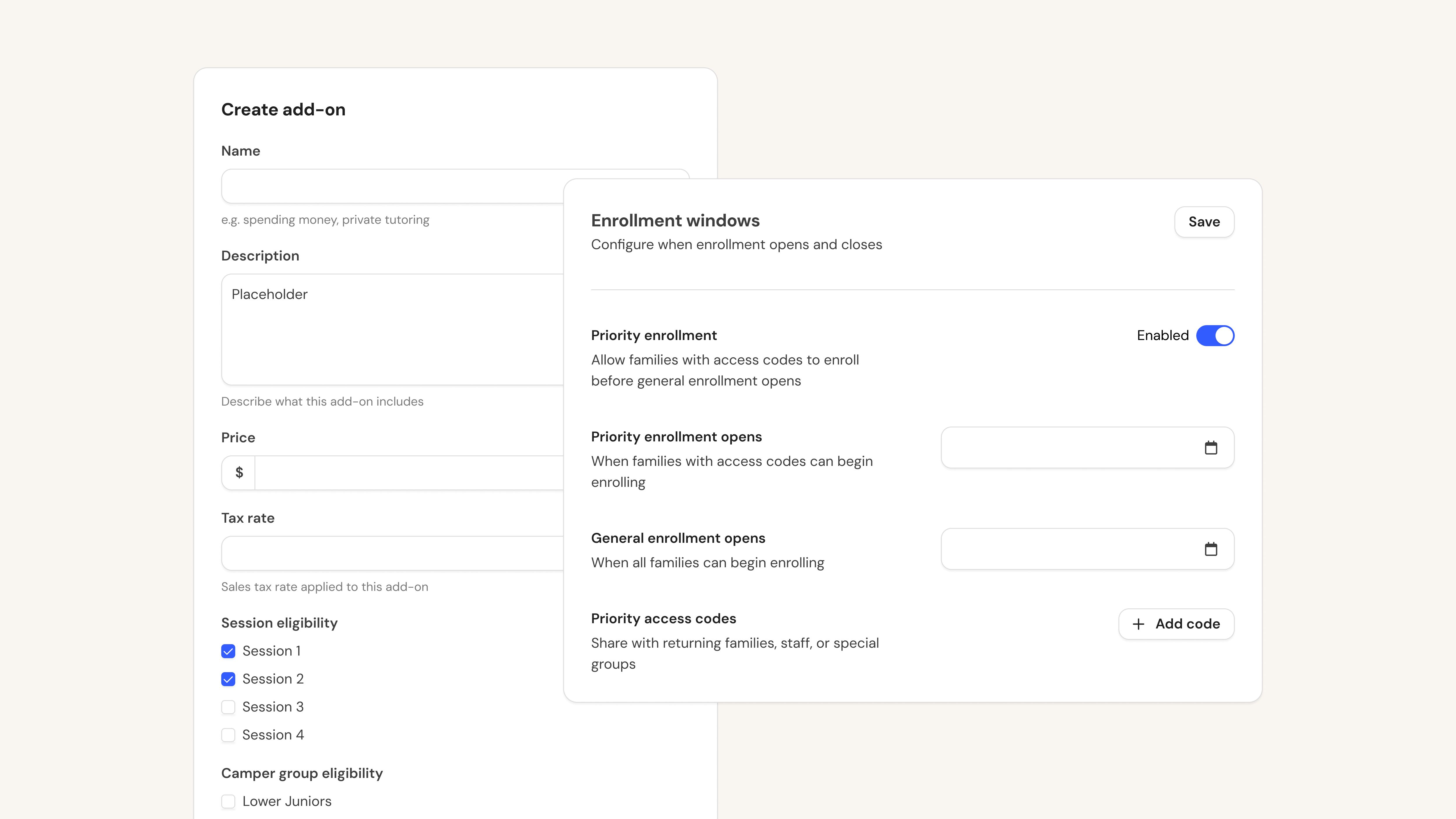
Set an enrollment date ahead of your general opening, giving selected families early access through admin-created codes
Share codes with returning families, staff, or special groups so they can enroll before enrollment opens to everyone
Add-ons and automatic discounts
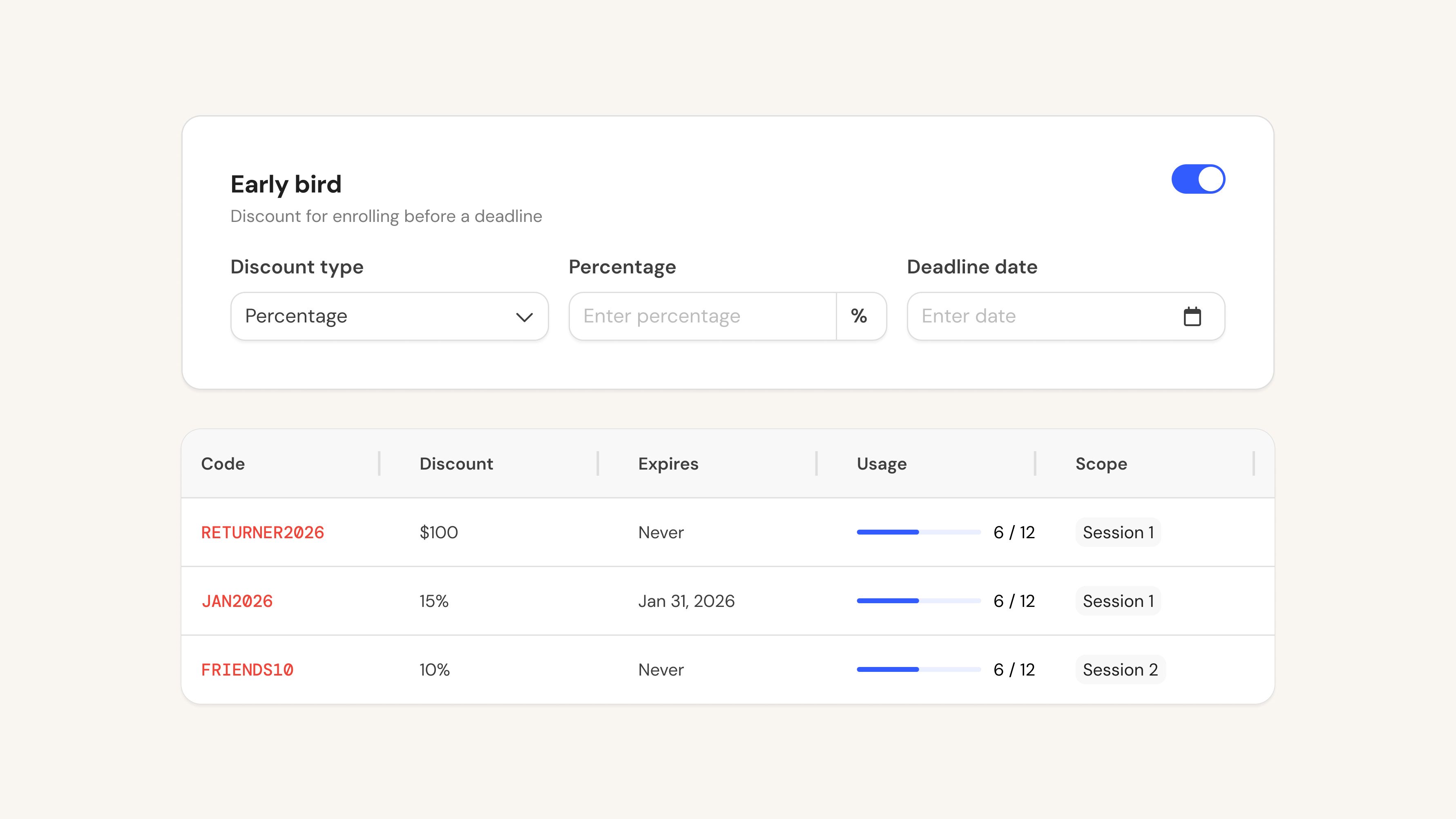
Add-on items like horse riding or tennis lessons can now be configured as part of the enrollment checkout, scoped to specific sessions and camper group eligibility, and set as optional or required
Automatic discounts including early bird, multi-session, and sibling discounts can be configured to apply at checkout
You have the flexibility to include or exclude individual add-ons from applicable discounts
More flexible payment management
Debit and credit cards are now managed separately for easier convenience fee control
Check by mail is now supported as a payment method
Per-camper billing can be toggled between automated collection and manual billing
Invoices and reminders can now be sent ahead of scheduled payment dates
Upcoming payments overview in Financials
The Financials tab now includes a dedicated Upcoming Payments view alongside Payment History, giving you a complete picture of all scheduled payments across your system
This includes installment plans and admin-created debits
From here you can take action individually or in bulk, including charging immediately, voiding payments, resending invoices, adjusting dates and amounts, and switching between automatic and manual billing